
Accessing an on-call provider is quick and easy. Caregivers may use the following steps for immediate telehealth access to a provider.
Need more information? View our step-by-step guides here.
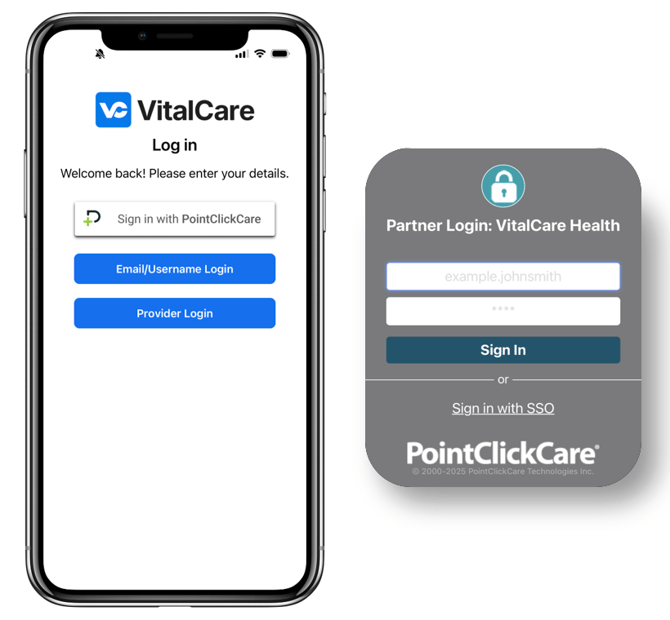
Step 1: Log into VitalCare Connect
-
PCC Users: Select "Sign in with PointClickCare" and enter your PCC login credentials. (Note: usernames are case sensitive and require your facility prefix)
-
MatrixCare / Other EHR: Select the Email/Username option and enter your provided login credentials.
Step 2: Request a Provider
- Select "Request New Visit"
- Choose your facility and search for a patient
- Enter chief complaint (reason for requesting a provider)
- Attach an image (optional)
After submitting the consultation request details, you will agree and connect to a telehealth provider.
Step 3: Document the Consultation
- After completion of the telehealth call, you will receive orders from the provider. Document these in your EHR along with any other relevant notes.
- Select "Confirm Order" to acknowledge receipt of the orders.
Having issues accessing VitalCare Connect? Contact the VitalCare technical support team by dialing the IT number on the wallpaper of your iPad.